Filling a PDF form locally means completing its fields — interactive AcroForm fields or static blanks — in your browser, without sending your answers to an online service. In Lemmafour the form is filled on your device, and the finished PDF is saved back to it.
Use Fill PDF form when you have a form that requires your personal information, but you do not want to send that data to an online service. The workflow is:
- Open Fill PDF form.
- Choose Choose PDF and open the form from your device.
- Wait for field detection to finish, then click a highlighted field and type your answer.
- Review any low-confidence detected blanks before relying on them, and use field navigation on small screens.
- Choose the export mode for the form fields, then download the filled PDF.
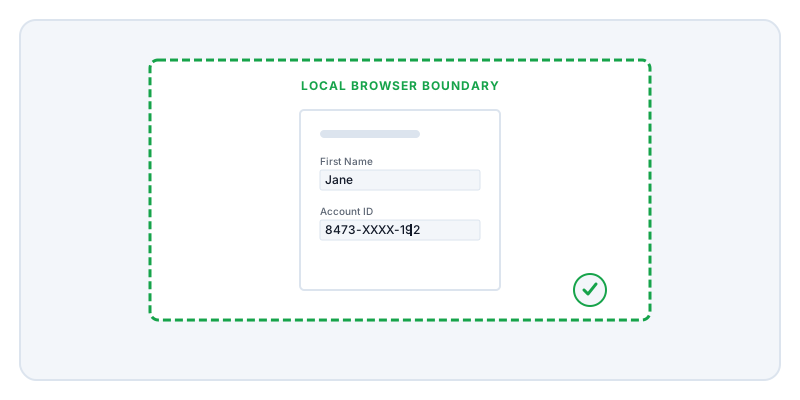
Forms are the most common type of sensitive PDF. Medical intake sheets, financial disclosures, and employment contracts all demand your most private data. When you fill out these forms using a typical online editor, your browser sends the entire document—and everything you typed into it—to a remote server. The server stitches the text into the file and sends the finished PDF back to you.
Lemmafour removes the server from that equation. When you open a form, your browser loads the file locally. When you type your social security number or medical history, those keystrokes remain in your browser’s memory. When you click Export, your device does the work of saving the text into the PDF structure. You can verify this by checking the Local - 0 sent indicator on the page, or by monitoring your browser’s Network tab. You will see that no document data leaves your machine.
This local approach handles both types of PDF forms you are likely to encounter. The first type is an interactive form (an AcroForm), which contains programmed text boxes, checkboxes, and dropdown menus. Your browser recognizes these fields automatically. The second type is a “flat” form, which is just a picture of a form with drawn lines. For flat forms, the tool detects the blank lines and highlights them for you, effectively turning a static scan into a fillable document without needing to guess where to click.
One limitation is that we do not support XFA forms. These are highly complex, dynamic forms sometimes used for specific tax or government filings. If a form requires a specific desktop reader to function, it will likely not work in a browser-based tool. Furthermore, Lemmafour is not a submission tool. We do not send your form to the doctor or the HR department. Our job is strictly to help you create the filled PDF on your device so you can attach it to your own email or upload portal.