Signing a PDF in your browser means adding a visual signature — drawn, typed, or imported — directly onto the page, locally. Lemmafour keeps both the document and your signature on your device; neither is uploaded to a server.
Use Sign PDF when you need to add your signature to a document privately. The workflow is:
- Open Sign PDF.
- Choose Choose PDF and open the document from your device.
- Create a drawn, typed, or imported signature in Signature Studio.
- Place the signature — plus initials, a date, or a checkmark if needed — and resize it to fit the signature line.
- Choose Apply signatures, then Export and download the signed file.
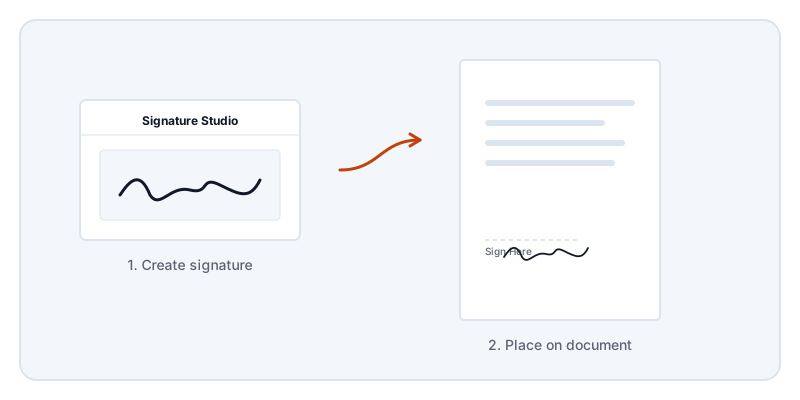
Signing a document often feels like a formal process, but the technical reality of a visual signature is very simple. You are placing an image or a drawn shape onto a specific coordinate on a page. Unlike a cryptographic certificate, a visual signature does not mathematically guarantee the identity of the signer or lock the document against future edits. It simply fulfills the requirement for a physical mark on a form, NDA, or contract.
Because you are dealing with sensitive agreements, you should care about where the file goes during this process. When you use an online signing platform, you upload your contract to their infrastructure. They process it, store it, and often retain it according to their own data policies.
Lemmafour takes a different approach. Your browser reads the PDF directly from your local storage. When you draw your signature in the Signature Studio, your device handles the rendering. When you export the final file, your device assembles the new PDF. The document is never sent anywhere.
You do not have to guess if this is true. The Local - 0 sent panel on the page provides a live check. You can also open your browser’s Network tab and watch the traffic. You will see the site’s own scripts and fonts load initially, but you will never see your contract transmitted to a server.
One thing to keep in mind is that placing a visual signature on a document that already has a cryptographic certificate will invalidate that certificate. If someone sends you a certified PDF, altering the page content breaks the mathematical seal. In those cases, you must use the specific certificate software expected by the sender. For everyday forms, school permissions, and standard agreements, a visual signature applied locally is exactly what you need.