Compressing a PDF reduces its file size by rebuilding its structure and re-encoding images, so it is easier to email or upload. Lemmafour compresses in your browser and keeps the original if a smaller version can’t be produced — the file never leaves your device.
Use Compress locally when a PDF is too large to email or upload to a required portal. The workflow is:
- Choose Compress locally.
- Open a PDF from this device.
- Pick Low compression, Recommended, or High compression.
- Run Compress and wait a moment while your browser works.
- Review the before-and-after size and download the output.
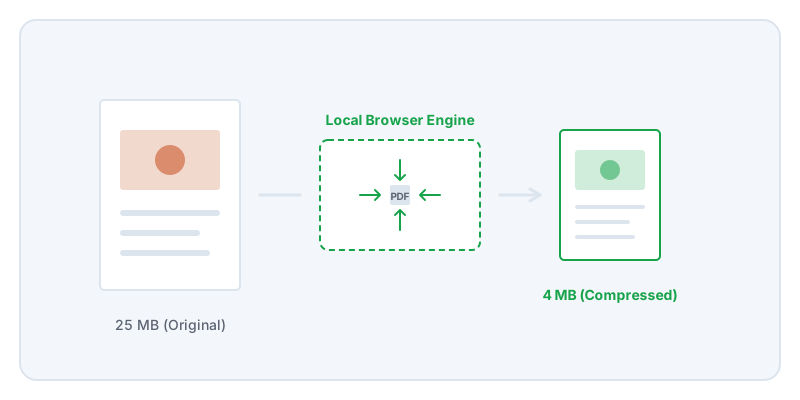
PDF compression is widely misunderstood. Many people assume a PDF is like a balloon that can simply be deflated. In reality, a PDF is a container holding different types of data: text, fonts, vector paths, and images. Text and vector data are extremely lightweight. If you have a hundred-page text document, it might only be a few megabytes. The weight comes almost entirely from images.
When you compress a PDF, you are mostly just re-encoding the images inside it. If your document is a scan of a paper contract or contains high-resolution photographs, compression can dramatically shrink the file size. If your document is purely text, compression might not reduce the size at all.
This creates a tension between file size and legibility. If you compress a scanned document too aggressively, the text becomes blurry and impossible to read. For critical documents, you should prioritize legibility over the absolute smallest file size. A tiny file is useless if the recipient cannot read the account number or verify the signature.
Always start with the Recommended compression setting. It provides a good balance by re-encoding images without destroying their detail. Only use the High compression setting if you must meet a strict file-size limit imposed by an upload portal or email server.
When dealing with sensitive files like medical forms or legal discovery, you face an additional problem: the compression service itself. Most online compressors require you to upload your document to their servers. This means handing over your private data just to make the file smaller.
Lemmafour’s compressor runs entirely in your browser. It parses the document structure, identifies the embedded images, re-encodes them, and writes the new file directly on your device. The document is never sent to our servers. After you compress a document, you can verify its visual quality by opening the exported file and zooming in on the smallest text to ensure it remains legible.